• Issue with capture stage

    5
    1 Votes
    5 Posts
    808 Views
    D
    @bramMP4 is the preferred codec since it uses a newer Windows system, but you are correct Palindrome isn't a useable playback option with this codec. Here are some codec specs I recorded sometime ago:Known Bad Codecs:Decklink MJPEG CompressorMicrosoft RLEMicrosoft YUVToshiba YUVKnown Working Codecs:DV video encoder (DS)Hap (vfw)HapA (vfw)HapQ (vfw)Intel IYUV (vfw)MJPEG Compressor (DS)MSScreen 9 Encoder (DMO)MS Video 1 (vfw)WMVideo8 encoder (DMO)WMVideo9 encoder (DMO)Black Magic HD 8 bit 4:2:2Black Magic 8 bit MJPEGBlack Magic 10 bit 4:4:4Black Magic 10 bit 4:2:2 Performance Grid: (cpu usage comparison during record of 30 sec clip at 1280x720, 30fps, 75% quality) Average cpu usage at runtime of test patch is 14-18% and gpu usage also 10-14% Note: all recorded values are +- 2-3% and at start of record generally have a spike in usage not included in these usage stats. CODECCPU usageGPU usageDV video encoder (DS)34%13%Hap (vfw)52%13%HapA (vfw)53%13%HapQ (vfw)53%13%Intel IYUV (vfw) *28%13%MJPEG Compressor (DS)46%13%MSScreen 9 Encoder (DMO)46%13%MS Video 1 (vfw)31%13%WMVideo8 encoder (DMO)47%13%WMVideo9 encoder (DMO)47%13%Black Magic HD 8 bit 4:2:227%13%Black Magic 8 bit MJPEG30%13%Black Magic 10 bit 4:4:430%13%Black Magic 10 bit 4:2:228%13% * This video format does not playback in the correct color in Isadora since YUV support is dropped in Isadora 3 -------------------------------------------------------------------------------------------------------------------------------So based on these results, I lean towards using the 8-bit BlackMagic codecs myself. (installed with free blackmagic software)
  • [ANSWERED] URGENT: Leap Motion not detected :(

    22
    0 Votes
    22 Posts
    4k Views
    N
    @mark ok. I'll open a ticket to get the new Leap Motion plugin. Thanks! and thanks to @tomthebom @Armando
  • terrible quality of live input with blackmagic

    13
    2
    0 Votes
    13 Posts
    1k Views
    Z
    It's the hdmi output from another mac.Resolution is 1080p60.I tried the three video setup (scale to smallest, largest, default).With or without antialiasing...Anyway, i tried it on a new patch, video in watcher straight to projector, so there should be no scaling nowhere.When i let the mouse on the link, it tells the output from the video in watcher in 1080p60For now, i'm using spout/syphon from madmapper to have the good image quality.Once again, the setup was tested both on mac and pc, with a decklink duo 2 and a decklink 8k pro.

  • [ANSWERED] fade problems on 3D surface

    5
    1
    0 Votes
    5 Posts
    372 Views
    E
    @wolandAh, yes, thanks, I thought that an idea could be to use my midi controller to controll the fades of as much video as possible, and then make some videos in the end and beginning for fades to new scenes that are not 3d...  Or..... Maybe an option could be to record the 3d live image so that it is a 2D video of a 3D surface - then it should be possible to make the transition?:)Ill try that.Thanks for the help:)Eva
  • "Skeleton Decoder" makes left to right and vice versa

    2
    0 Votes
    2 Posts
    287 Views
    WolandW
    @kajuHmm seems to be a bug. For now, I'd suggest just swapping left and right body parts for whatever it is that you want to control.
  • Replace missing media option in v2 file opens completely blank

    1
    2 Votes
    1 Posts
    183 Views
    N
    Isadora 3.2.6 ARM, Mac M2 Max, MacOS Sonoma 14.2.1 Opening an Isadora 2 file from 2014 and replacing missing media will cause the project to open completely blank. Workaround:Clicking "skip all files" will open the project successfully. Replacing missing media afterward in the converted Isadora 3 file causes no problems.
  • [NOT ISADORA ISSUE] Screens dont show up in the right resolution

    3
    2
    0 Votes
    3 Posts
    343 Views
    X
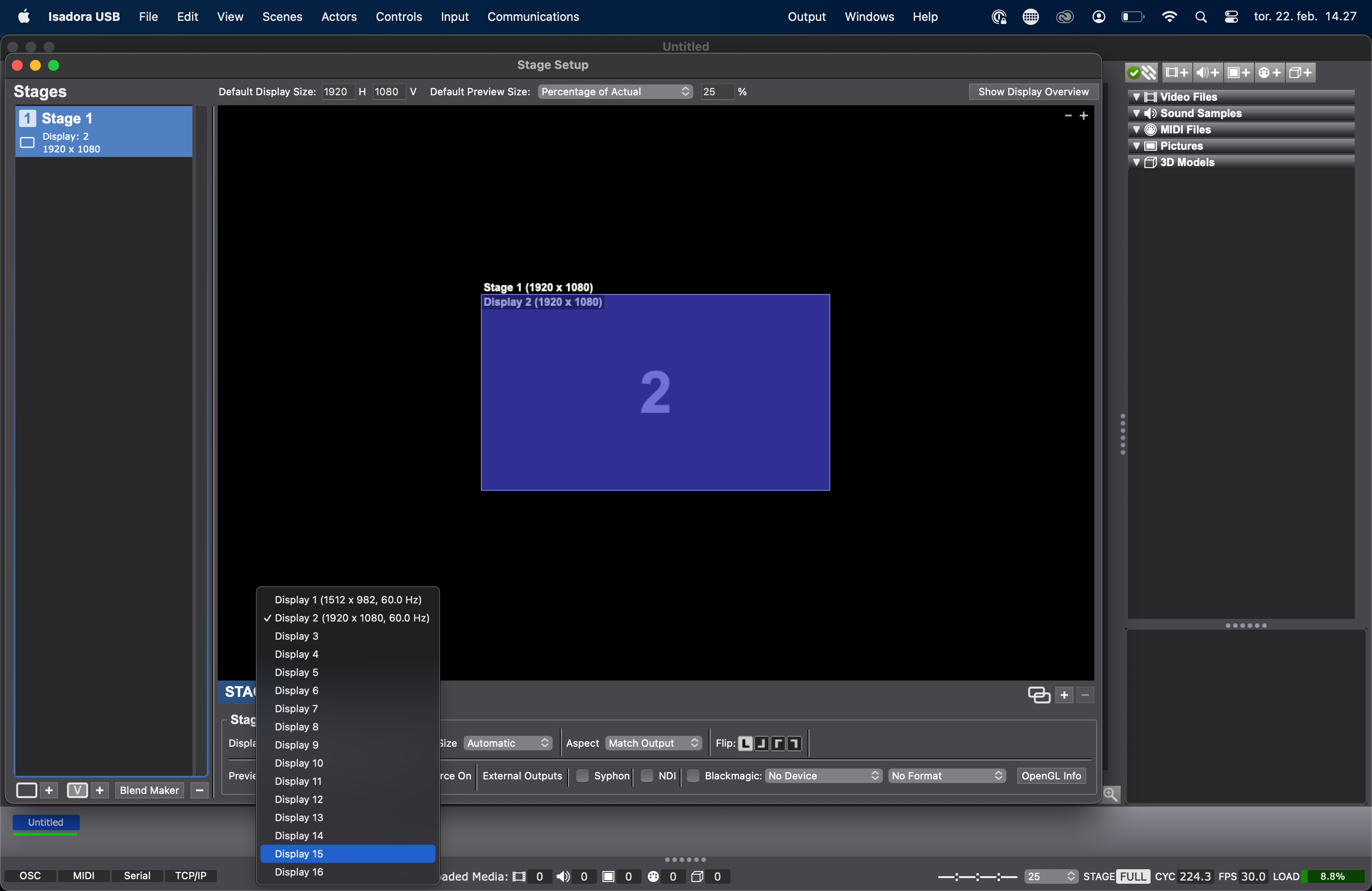
    Your are right - i found out why. You have to go into in screen settings you have to go to advanced settings and then and the show all resolutions. After that you will get a list off all resolutions an d you can select the right one...
  • 2 Votes
    4 Posts
    449 Views
    A
    @em_tx Have you tried to install emu ?
  • [ANSWERED] Preference Setting

    3
    1
    0 Votes
    3 Posts
    340 Views
    D
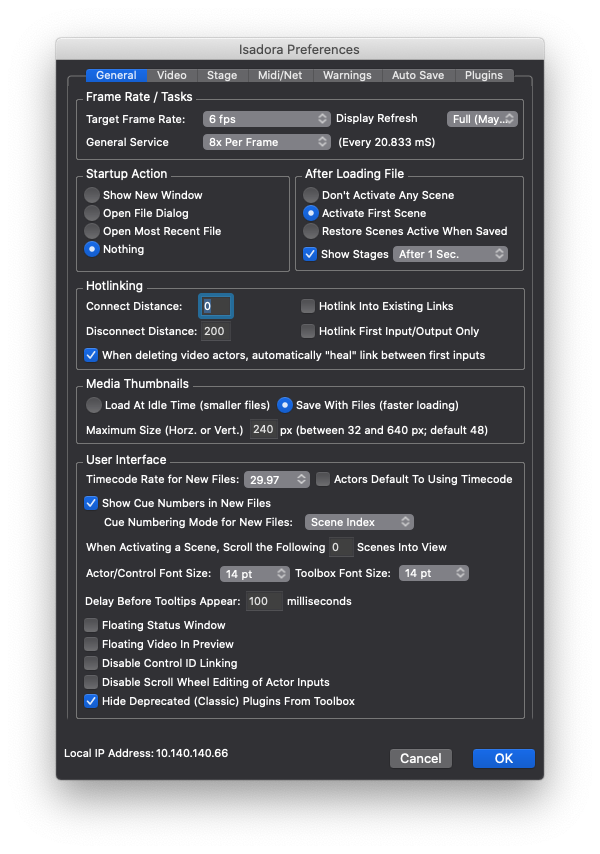
    @woland said: Try setting "Display Refresh" (to the right of Target Frame Rate) to "Off"  Yes, this!
  • [SOLVED] Unable to download USB Key Driver

    15
    1
    0 Votes
    15 Posts
    1k Views
    markM
    @Aolis @Woland Thales says there a been fix as been applied. Please notify us by opening a ticket if you see the download problem again.Best Wishes,Mark
  • [SOLVED] Set/get global values

    5
    0 Votes
    5 Posts
    445 Views
    WolandW
    @dillthekraut said: Mutable values (the ones with the green connectors) take the ranges from the actor values you connect them to It sounds like this to me too. The Set and Get Global Values actors' 'value #' inputs/outputs start with a default range of "MIN" and "MAX". They can only have a set range if they're manually given one through a user setting a range via the Property Inspector or if they're connected to an input/output of another actor that has a set range. Perhaps a manual range was set for one instance of a Get Global Values actor that you were using for something, then you copied it and used it somewhere else.It's worth saying that if you disconnect a mutable actor from the actors around it, right-click it, then select "Reset to Default Values" it'll set the ranges back to the default.  Another tip I'll give is that you can select the links connected to your mutable actor and use Actors > Detach Link at Input and Actors > Detach Link at Output to just take the links connected to a mutable actor and "store" them temporarily by attaching them to a random Gate actor or something, then you can free up your mutable actor, reset its values to default, then re-instate its connections using Actors > Detach Link at Input and Actors > Detach Link at Output to take them back from the "storage" Gates.
  • [LOGGED] Warning about pjlink

    17
    0 Votes
    17 Posts
    2k Views
    WolandW
    @miketutajThanks for offering to share your workaround. It would be wonderful if you could post the file here for others to use if/when they run across this thread.
  • 0 Votes
    5 Posts
    445 Views
    WolandW
    @jtoenjes said: this behavior seems to be particular to Oculus screen cast  There might not be anything we can do about it then, unfortunately
  • [ANSWERED] JSON Parser Beta and next version

    2
    0 Votes
    2 Posts
    206 Views
    WolandW
    @jtstephThey'll be replaced automatically, but if you're interested in using the beta version right off the bat, feel free to send in a ticket using the link in my signature and I'll send you the form to sign.Best wishes,Woland
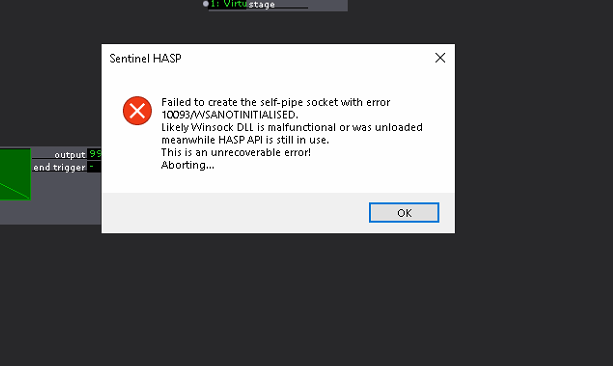
  • HASP Error

    9
    1
    0 Votes
    9 Posts
    827 Views
    WolandW
    @lundmkPlease open a support ticket using the link in my signature if you haven't already.Best wishes,Woland
  • Setting OpenNI Kinect range threshold

    4
    0 Votes
    4 Posts
    356 Views
    WolandW
    @nicI haven't worked with the Azure so I can't speak to that.
  • [ANSWERED/LOGGED] JSON Bundler Question

    9
    0 Votes
    9 Posts
    682 Views
    J
    Just quick update on this. The JSON Bundler always seem to revert to object when I open my project. I have worked around this by including a "trigger text" actor to send a "key" to the jason bundler as a part of the scene initialization. This resets it to object. I'll see if this works moving forward, if not, I will use @DusX 's javascript option. Definitely having issues with the bundler and unpredicably switching to "array". I am going to pivot to dusx's javascript method. Here is what i did to be able to add a custom key to the json values so i can use the isadora JSON Parser actor: -------------- // input 1 (index 0) is the custom string for the key. The loop begins at 1 as opposed to 0 function main() {    var customString = arguments[0]; // takes custom key string from input 1    var output = {};     for (var i = 1; i < arguments.length; i++) {        // Creating a new key with custom string and index        var key = customString + i;        output[key] = arguments[i];    }     return JSON.stringify(output);}
  • Seeing dropped frames in playback

    12
    0 Votes
    12 Posts
    940 Views
    G
    @fredTo my knowledge Apple does not sell a usb-c to HDMI (they resell Belkin)I used a few different typesand I tried a few that I didn't not know the manufacturernothing changed via hdmi or Displaylink (Pluggable)G
  • [ANSWERED] Not sure if Bug Report has been sent ?

    2
    1
    0 Votes
    2 Posts
    278 Views
    D
    @emtvFeel free to open a support request, and we can look into your issue for you. (link in my signature)
  • [ANSWERED] Javascript Actor and Control Watcher Data Type Issue

    4
    0 Votes
    4 Posts
    317 Views
    WolandW
    @jtstephI made them because I got tired of having to recall an actor with the right data type off the top of my head.