Hello,
I am working on another build of a show that is an ongoing project. I am using JSON to communicate midi information across the patch to several sub patches. I learned this technique a few years ago from @DusX and @Woland . It allows me to snapshot the current state of the patch, with its many user actors, for later recall of all of my effects states and buttons.
I am stuck on how to deal with storing and recalling toggle states.
Currently I am planning to use a global variables to flag which buttons are toggles and which are just triggers. When I recall a snapshot, I would like to send all of the values of the JSON to the various user actors containing effects, clip selectors and to update the dial information and button states on my Streamdecks including toggle states. The trick is I don't want to init to off and then reset the toggles based on the logic. I will be using this not only to save snapshots, but to update button statuses when I change profiles on the Streamdeck (because of the 10 page limit). In this case, initing to off would interrupt my patch.
I have a good handle on sending of dial values to my controllers and user actors, but am a bit uncertain as to how to ensure that the toggles are in the correct state.
My logic is:
- if the Global Value for the button is set to 1 (toggle-able) and the recalled JSON value is 127, then set the toggle to on.
- if the Global Value for the button is set to 1 (toggle-able) and the recalled JSON value 0, then set the toggle to off
- if the Global Value for the button is set to 0 (not a toggle IE a dial), then pass the JSON value.
As I write this out, it perhaps makes good sense to use Javascript here?
Anyways. I wonder what others might be doing to solve this issue.
Thanks.
@dillthekraut Oh wow. Companion looks super cool. I am going to investigate further. I like that it is opensource. How do you find building multi-page interfaces? Is is easier to work with than streamdeck?
@dillthekraut said:
Have you tried it with companion?
No. I will look into it though. I am trying to make a build right now that I can live with for a few years. I ended up putting the Loupedeck up for sale and replaced it with a couple of Streamdeck+ controllers. They're super easy to program. The midi plugin for Streamdeck is pretty great and flexible.
Have you tried it with companion? There is an unofficial plugin which implements limited support for the Loup.
I don't own a Loup, but use Streamdecks with companion.
There is an open request for official support for the Loup. Maybe some day...
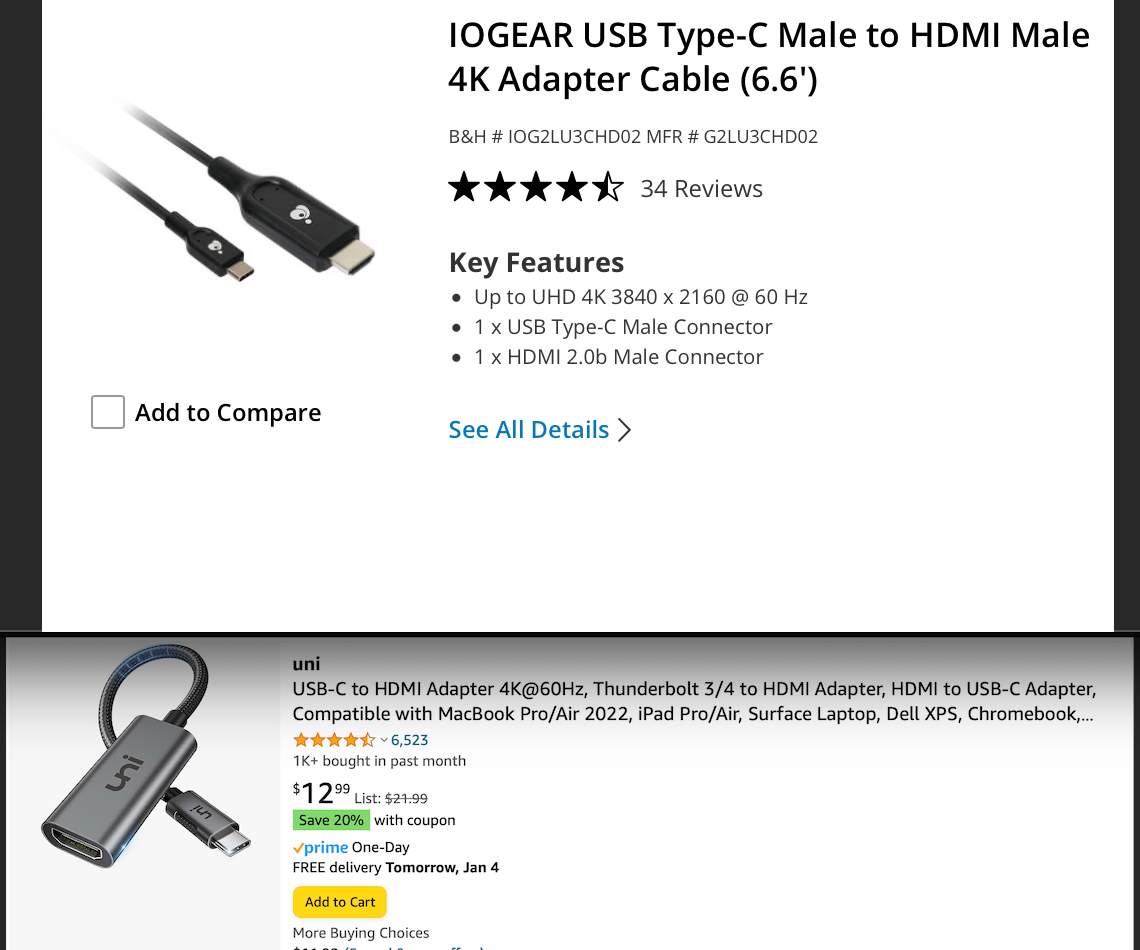
To my knowledge Apple does not sell a usb-c to HDMI (they resell Belkin)
I used a few different types
and I tried a few that I didn't not know the manufacturer
nothing changed via hdmi or Displaylink (Pluggable)
G
I'm not sure if this would be a solution for you, but you can send the OSC UDP Stream as a Broadcasting Message. Instead of the Unicast Address (e.g. 192.168.1.1 in subnet 255.255.255.0) you send it to the broadcasting Address 192.168.1.255. (If Subnet is 255.255.0.0 the Broadcast address is 192.168.255.255 accordingly).
This way the stream will be send to all IP Addresses in the same Subnet.
To separate the messages for the different clients, you could then change the OSC Addresses matching the different listeners. This way you could easily change on each device what it needs to know. Combined with a text formator actor, you could use the devices names instead of the IP Adresses and could be independent from them.
@chameau132 Sorry  Works fine with Set Global / Get Global Value actor
Hi there,
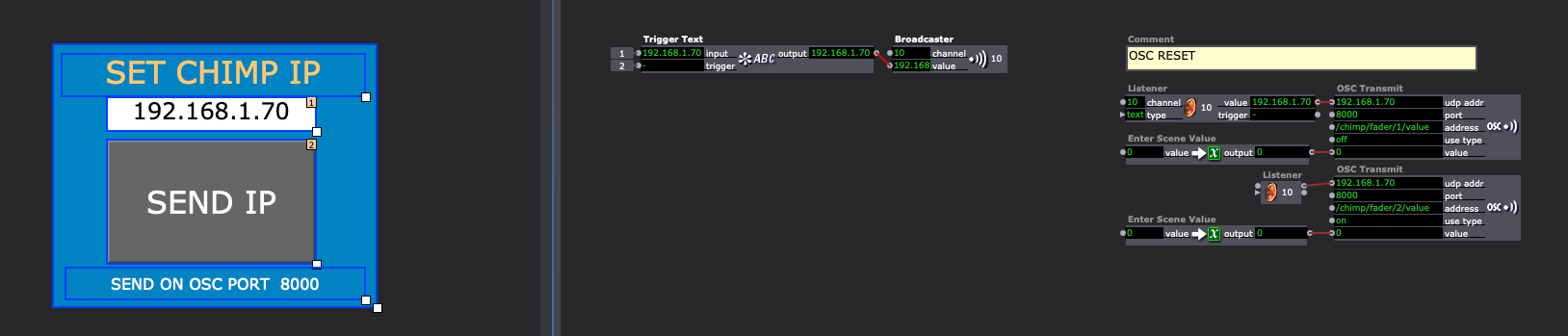
I have several cue, sending osc message to light mixing desk. I try to figure out how to send udp adress to all OSC transmit modules in all cue cause i can have different light desk ip settings...
I try to do this :
In controls : put a "Edit Text" going to an "trigger Text" actor module and an "SEND IP Button" going to an "trigger Text trigger"
I'v output the trigger text module to a broadcaster , and put a listener in text mode to send to OSC transmit.
It's work fine for Q1.
So i put only the listener to the other cue but txt doesn't change.
I think i can manually go to all cue to set ip on by one. But have you an idea to set from control page all OSC transmit modules in all cue ?
Hope that's make sense.
Cheers
Michaël

@garret-linn to clarify my earlier question. What brand of converters are you using to get from usb c to hdmi. Are they all single purpose (just usbc to hdmi, no other ports) and apple branded?