thanks for the help Fred
I have tried many combinations of outputs: (and different computers both m1 and m2)
the native HDMI + usb-c to HDMI (adapters)
all Displaylink connectors
a combo of Displaylink (Pluggable interfaces using the DP drivers -- and the native HDMI)
all tested to both mixed projectors directly and via identical blackmagic HDMI to SDI converters
in all cases the result is the same (no combination was better or worse)
I get dropped frames on each screen separately and not on "one screen"
nor do I get synchronous errors across all screens (they happen randomly on all three screens after about two minutes)
such I do not believe it is the connections
Rather I think there is an error occurring in the system (it really may not be an Isadora fault - but rather a system OS problem)
My opinion is that there is some event in the control of the Thunderbolt Buses that is causing it to change "priorities" of service
Isadora is only using a small tiny percentage of the CPU or GPU -- so small that the OS may think it's ok to move to efficiency cores (?)
(we have seen something like this before in the move to AVfoundation in the past)
I am in contact with troikatronix and they seem to think there might be a fix to be had in a new beta release
I have not tried leaving the connections up - but only connecting one screen -- I will do later today
thanks
Garret
PS - for "most" video this would not be seen - in my case the video source is fast moving objects (cars) moving across screen as such any and all frames lost are easy to see)
so yes this is an edge case
Hi all
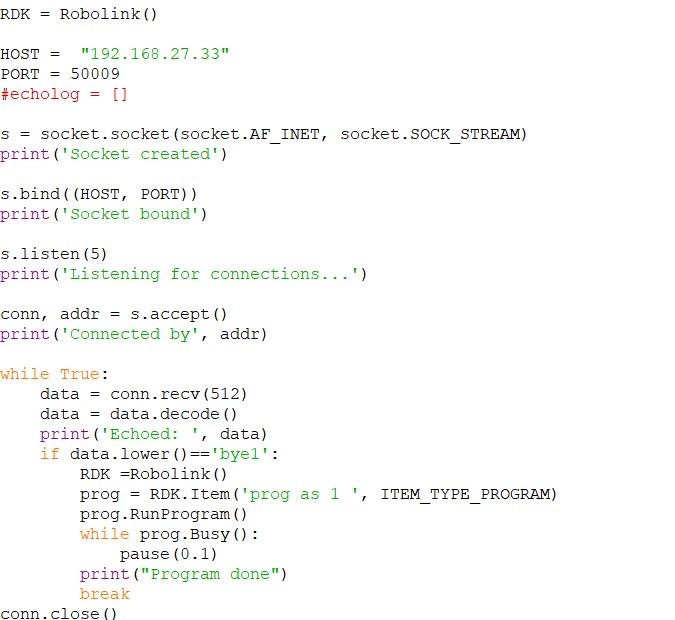
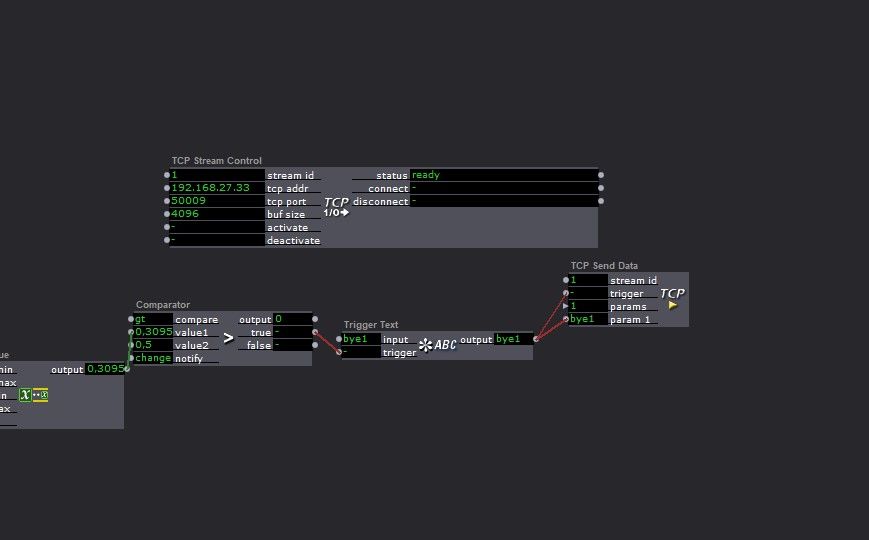
I am trying to send tcp strings to activate scripts in RoboDK for a Kuka Robot.
I am using the tcp send actor i am trying to send only a text not a changing value. how do i do this? i dont seem to understand the explaination in the send actor. I do have communication with the other laptop but dont seem to trigger the right call

Hi all,
I just submitted a bug report, but I'm not sure whether it's been sent or not, since the Thank You page is showing a 550 error in the background. Thought I'd let you know...

I made a screen capture of the bug report summary, so I can send it via e-mail if needed ?
Best to everyone in the Izzy community for 2024 !
eM
Never mind. I dug further into the LoupDeck programming and you can have the button push jump to 127 and the jump back to 0. If bundle this output into a JSON then go JSON PARSER->TEXT PARSER->COMPARATOR looking for 127 I get my button trigger.
And just to confirm here, the output from the JSON Parser is always text? I am using the Text Parser to change the data type to integer currently. Is this best practice?
Last one for today  Is there a way of converting a momentary CC trigger to a momentary value so I can get it into my JSON controller stream? My old controller would broadcast 0 or 127 for buttons. My new controller just sets a value. I've been trying to make it work with the Comparitor, selectors and gates to no avail.
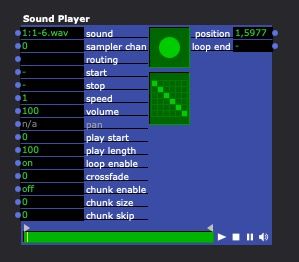
using the sound player in V3
If I have 5 audio track what file format can I mix them so the player will see all 5 tracks
As apposed to 5 seperate sound players
All tracks will be non compressed wav files
Previously I have saved them as surround sound files
In prem pro which V2 projector (classic) saw all 5 files and adjusted inputs accordingly
Tr742
Arthur

I made them because I got tired of having to recall an actor with the right data type off the top of my head. 