I hope so, I am sitting in tech right now unable to program at all. 
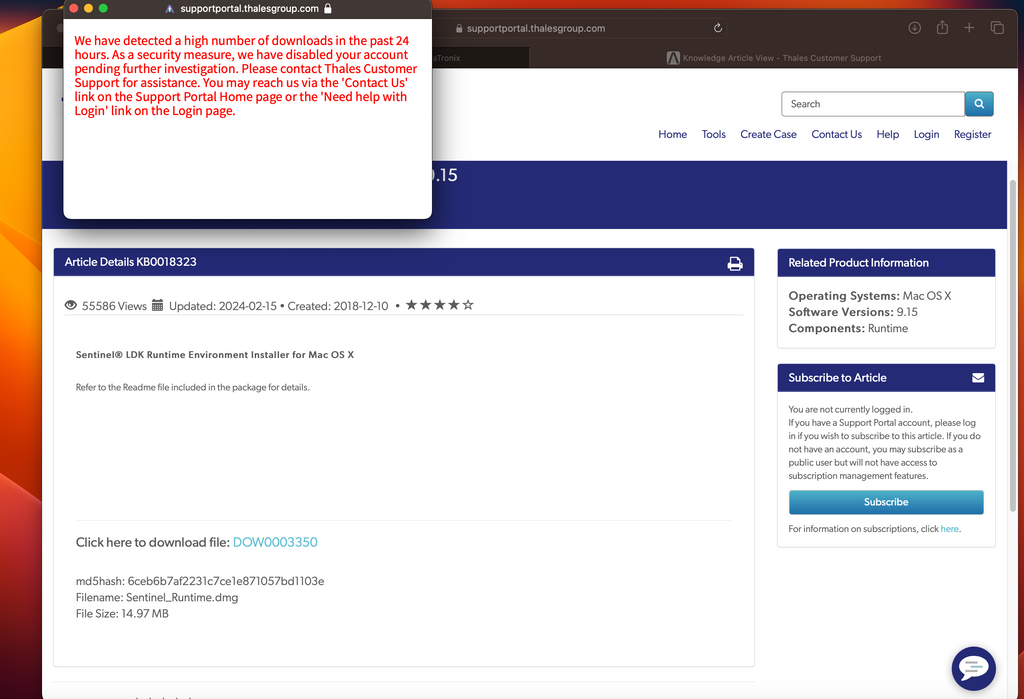
It seems to be an issue at the drivers provider thales. I do get the same error on several devices and networks.
I do not have the file at the moment, but maybe some one else can provide and (unofficialy) send you the drivers file via some file exchange.
For future reference. When using the "Keep only one button on" javascript strategy by @woland, you can accompany this with a streamdeck midi plugin script on each of your toggle buttons. https://trevligaspel.se/stream...
It uses a global variable to store the ID of the currently active button's hardware ID (@e_id) to effect an only-one-on toggle DISPLAY for an entire profile. It sends 127 when pressed, and displays "---ON--". If you press another button, the "---ON---" display turns off on the previous button and turns on on the current button. It will also accept 0 or 127 via midi on the specified channel and controller. It works over all 10 pages as long as the midi controller numbers are unique for each button.
The trevligaspel midi plugin for streamdeck is quite remarkable. You can script translations, cycles, toggles, all kind of things. The developer is really very pleasant and helpful. I'll to a post a report about it in another thread later...
For now, this is the streamdeck companion to the only-one-on toggle javascript. I'll paste the script for a single button and also a commented version. I have added a thumbnail display for the button. I use environmental variables in windows to point to my thumbnails directory.
Script for a single button:
[ (config) {TriggerOnUnchangedVariables:No} ]
[(init){@l_state:#IF(@g_activeID=@e_id, 1, 0)#}{image:%thumbs%\vidTN\T01_P02_B01_C01.jpg}]
[ (press) {@g_activeID:#@e_id#}{cc:1,3,127}]
[ (press) {@g_activeID:" "}{cc:1,3,0}]
[(@g_activeID:*){@l_state:#IF(@g_activeID=@e_id, 1, 0)#}]
[(cc:1,3,0) {@l_state:0}{@g_activeID:" "}]
[(cc:1,3,127){@l_state:1}{@g_activeID:#@e_id#}]
[(@l_state:0){text:#none#} {nextpress:1}]
[(@l_state:1){text:--ON--} {nextpress:2}]
Commented script.
//Trigger script on variable change
[ (config) {TriggerOnUnchangedVariables:No} ]
//Initialize - assign Local State to the result of (if the global active ID = the @e_id (hardware id for the button) then 1 else 0. Load thumbnail to button image.
[(init){@l_state:#IF(@g_activeID=@e_id, 1, 0)#}{image:%thumbs%\vidTN\T01_P02_B01_C03.jpg}]
//Press 1. make global id = the e_id. send cc 1,5,127
[ (press) {@g_activeID:#@e_id#}{cc:1,5,127}]
//Press 2. make global id- " ". Send cc: 1,5,0
[ (press) {@g_activeID:" "}{cc:1,5,0}]
//assign the global ID to the result of: If global id =e_id then 1 else 0
[(@g_activeID:*){@l_state:#IF(@g_activeID=@e_id, 1, 0)#}]
//on midi recieve 0, assign local state (@l_state) to 0. assign global active ID to " "
[(cc:1,5,0) {@l_state:0}{@g_activeID:" "}]
//on midi recieve 0, assign l_state to 0. assign global ID to " "
[(cc:1,5,127){@l_state:1}{@g_activeID:#@e_id#}]
//Local state action for Local state 0. No text. Next button press is press index 1 (ON)
[(@l_state:0){text:#none#} {nextpress:1}]
//Local state action for Local state 1. Text "--ON--", next press is press index 2 (OFF)
[(@l_state:1){text:--ON--} {nextpress:2}]
The great thing is that you can do a page worth of scripts in a sheet, editor, chatgpt...whatever and then format them into an xml and use a pulldown menu to assign them making quick and accurate work of building your streamdeck interface. It's efficient.
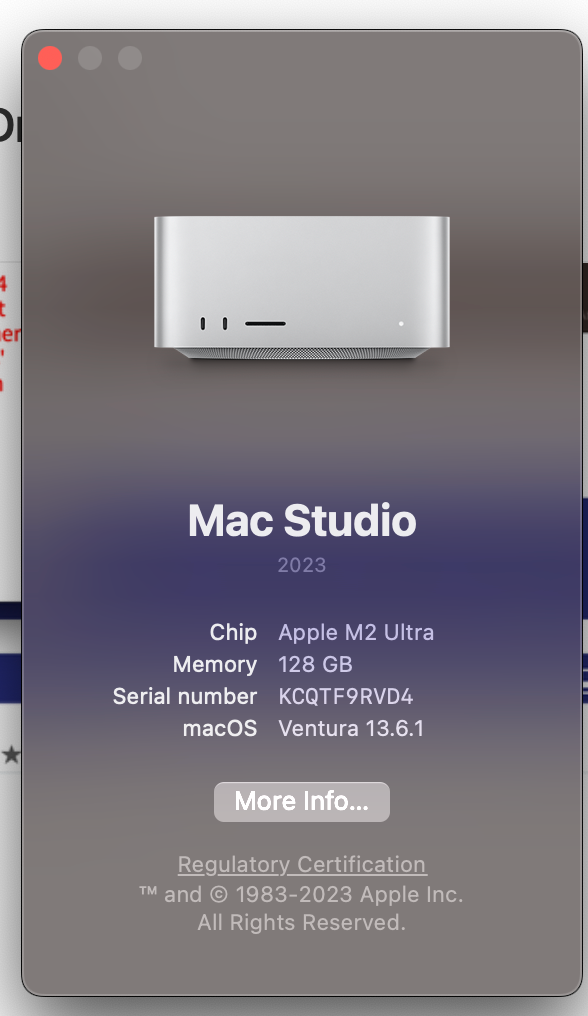
This is my system set up - sig is old:
Unable to download USB Key driver!! Am in Tech and can't install Isadora right now!!
Does anyone have a link to it they can share with me!
Getting the following strange message:
I take the simple approach of the USB Go Box. Has two usb outputs, and will trigger cues on diferent machines in sync
https://www.thatlittlebox.co.uk/usb-go-box. Also, is designed as a cueing device to ensure no accidental cues.
Oh I never thought about exploring this ! Definitely going to look into it for specific situations ! Merci beaucoup !
Oh my god that is so extremely clever ! I would have never thought about this. This is a very creative stable and safe solution to my problem. Going to give it a go this afternoon on two separate computers to see if I can get a good grip on your excellent concept.
I'm deeply sad I missed the opportunity to join the Zoom as I look at your post a day too late. Still I registered on the website and will join on the next one 
Thank you for your brilliant insights.
if you can control your show from an osc program like Touch OSC this could be a solution:
I haven't try it but it seems to be interssant
Best regards,
Jean-François