The setup will be two front projection surfaces in a portrait orientation that may or may not have separate imagery and then a third very wide aspect ratio rear projection screen (hence looking at driving the projectors for that "stage" via a one graphics card output to a desktop extender.) Synchronization is likely not to be needed as I doubt the rear projection surface and the two front projection surfaces will ever be showing the same imagery.
@t_decker Hello,
Do you need frame synchronization between the machines ? Are you running one very hi res image through multiple projectors and machine ?
@t_decker said:
<p>The server has an additional video output as part of the motherboard. I'm going to see if my BIOS will allow both the dedicated video card and on-board video work simultaneously. </p>
This is what I do every day. I've even been known to run projectors from the MB graphics!
Cheers,
Hugh
I suppose this is a many pronged question, so I'll do my best to be clear.
I'm going into a show that is going to require all four video outputs for four projectors that my server has on its graphics card. What I'm concerned about is how to actually program Isadora when all four outputs are committed to stages. I've got some time to solve this, so there are a couple of approaches I'm hoping to try.
- The server has an additional video output as part of the motherboard. I'm going to see if my BIOS will allow both the dedicated video card and on-board video work simultaneously. If so, I suppose the problem is solved.
- Barring the above idea, I'm going to try to drive two of the projectors through a Star-Tech screen extender. (One video output to the extender which then goes to two projectors which would free up one of the video out ports on the dedicated card. However, I'm concerned that I'll hit a limit with the number of displays/resolution. (The four projectors are 1920x1200.)
- So if that doesn't work, I'm wondering if there are tutorials on network control of Isadora? I have multiple licenses, so running two or even three separate instances is not an issue. What I'm thinking, is to run scenes remotely on the server from a second computer, but I'm not clear on how to do this. (I've seen a couple forum postings regarding OSC and Q Lab, but I'm trying to stay all PC.)
HOWEVER, this leads me back to the initial problem of not being able to see the patches on the server computer to edit in real-time. Is there a way to see a patch on a remote computer if the remote computer has all of its outputs committed to stages?
Any input on how to go about this (especially via a network solution) would be most appreciated!
Tristan
Hi,
Have most often used https://decimator.com/
They have converter units compatible with VESA standards. They have become a bit of an essential piece of kit and have worked brilliantly for conversion.
Best wishes
Russell
Just bumping this up again for attention as it's still something I need...

@woland said:
I also hope I'll be able to find the time to finish the file soon...
@Bonami I just finished the file in my After Hours Isadora Lab. Here's the file: redundancy-heartbeat-switch-2024-02-29-3.2.6.izz
The file and the link to a recording of me building this addition to the file will be posted in the Isadora channel of the Office Hours Discord soon.
This updated file includes an example Content Scene:
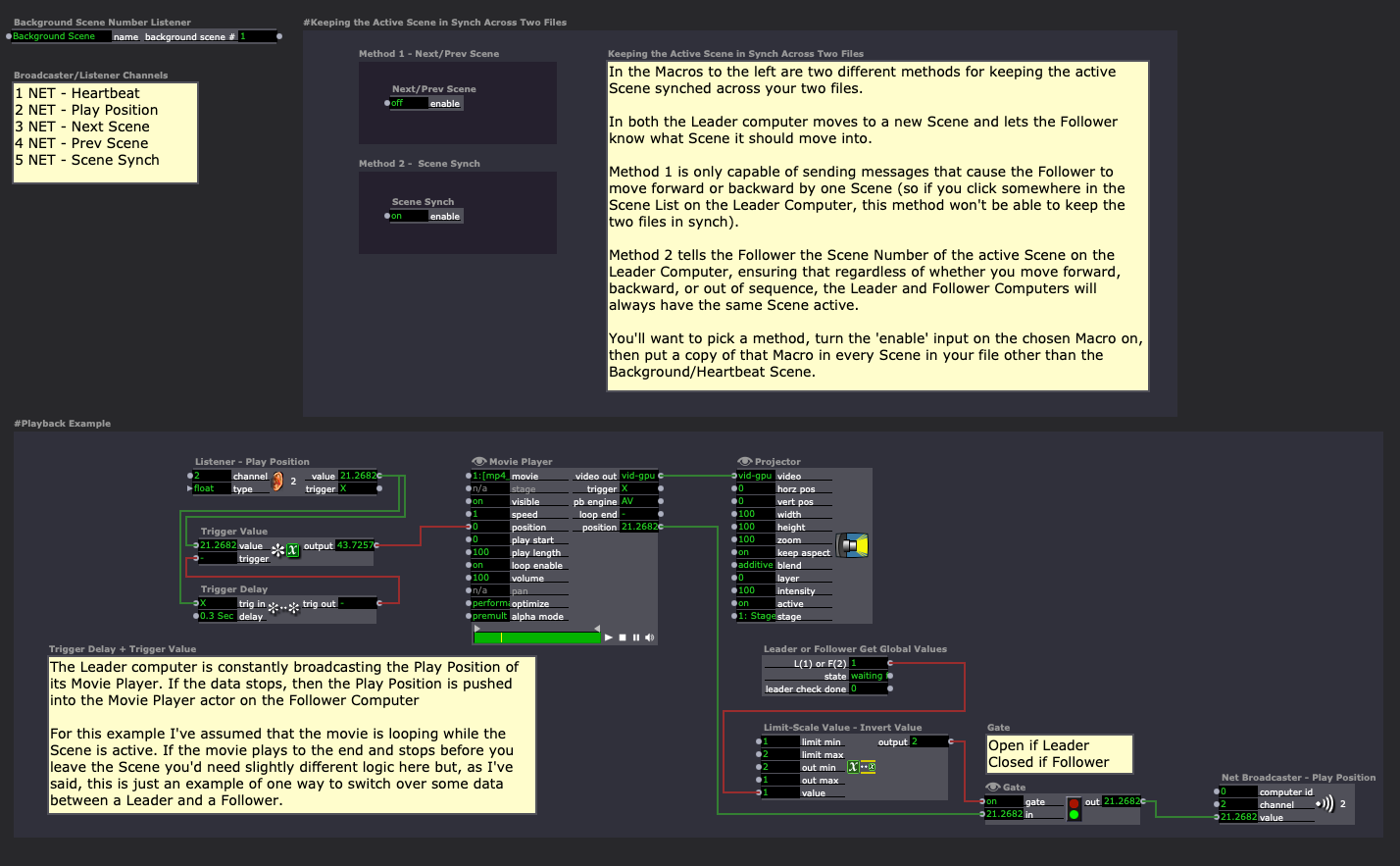
One of the things this Scene does is explain how to keep your Scene List in Synch across the two files (it's the section at the top right labeled "#Keeping the Active Scene in Synch Across Two Files").
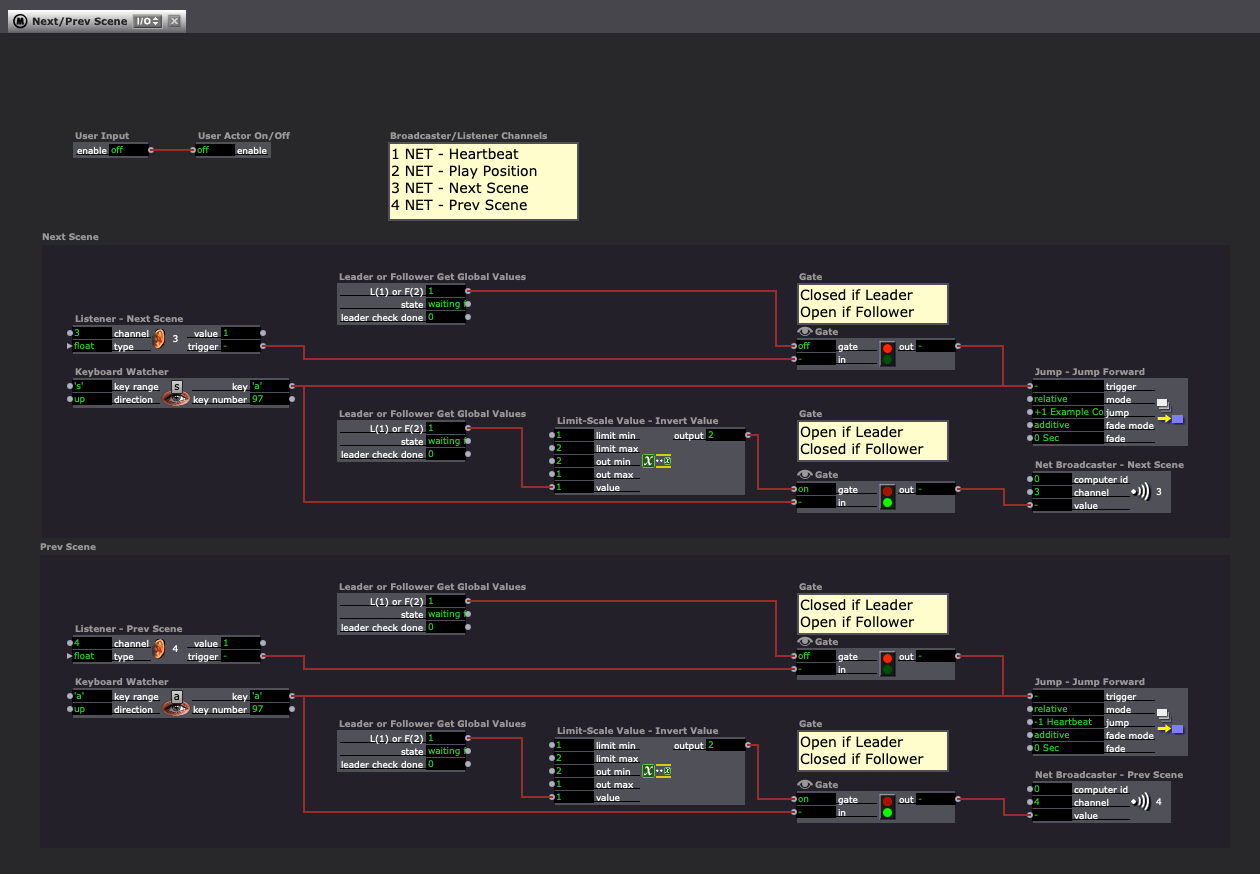
Here's the guts of the Macro from "Method 1 - Next/Prev Scene" (I'd recommend the second method instead though):
Here's the guts of the Macro from "Method 2 - Scene Synch" (I'd recommend using this method):
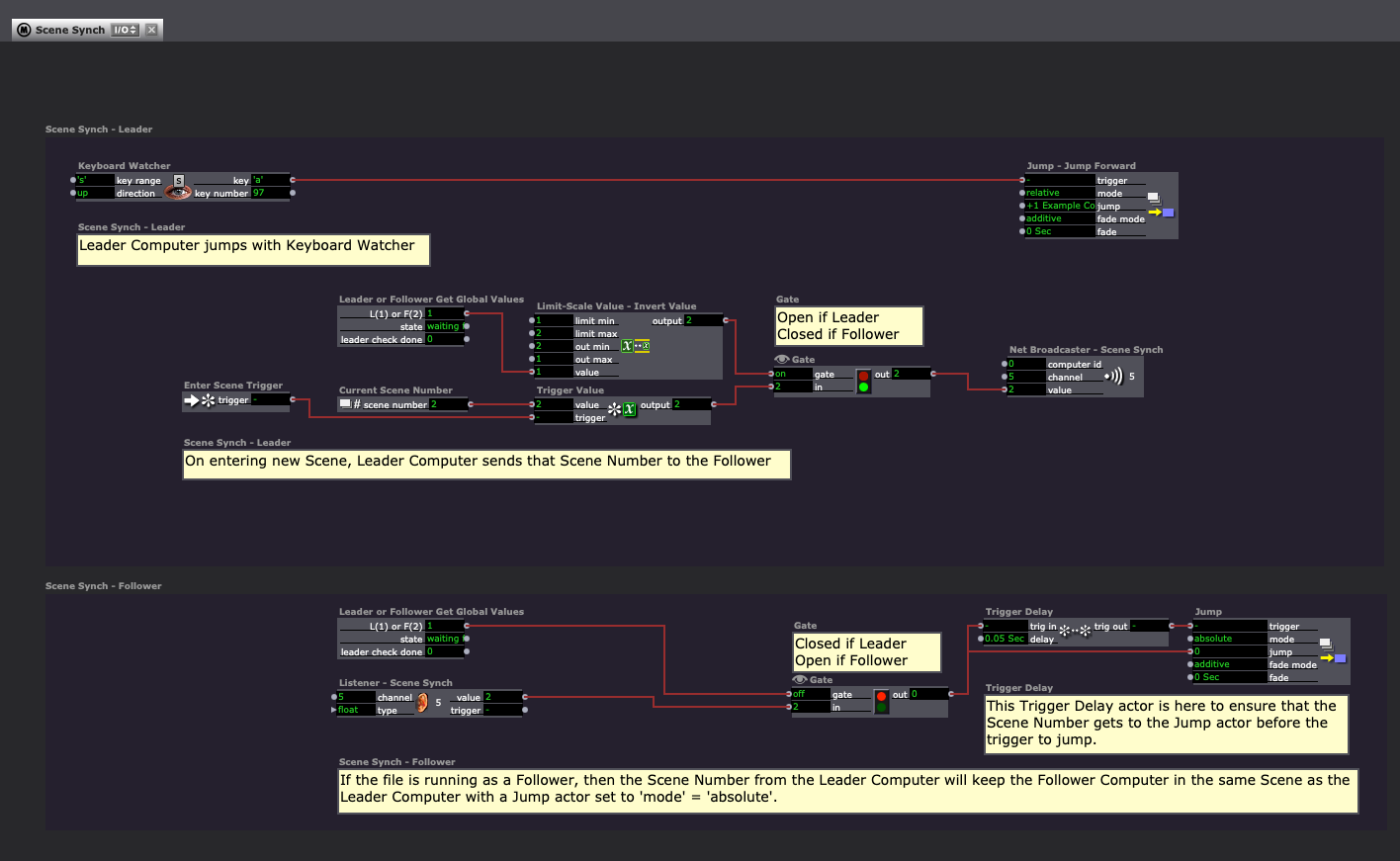
It's possible I made a logic mistake somewhere, as I haven't tested extensively with two computers, but feel free to let me know if you encounter problems and I'd be happy to fix the file.
Best wishes,
Woland
I'm very interested to know what this looks like in practice.
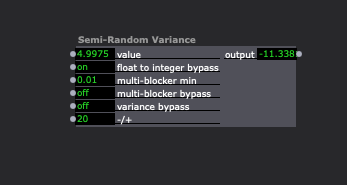
Also, I realized that this User Actor that I originally got from @mark and then modified might be useful for similar use cases as well (though probably not for your exact use case).
For any interested parties, I made a patch that allows for Soft Crops in Isadora: soft-crop-2024-02-28-3.2.6.izz
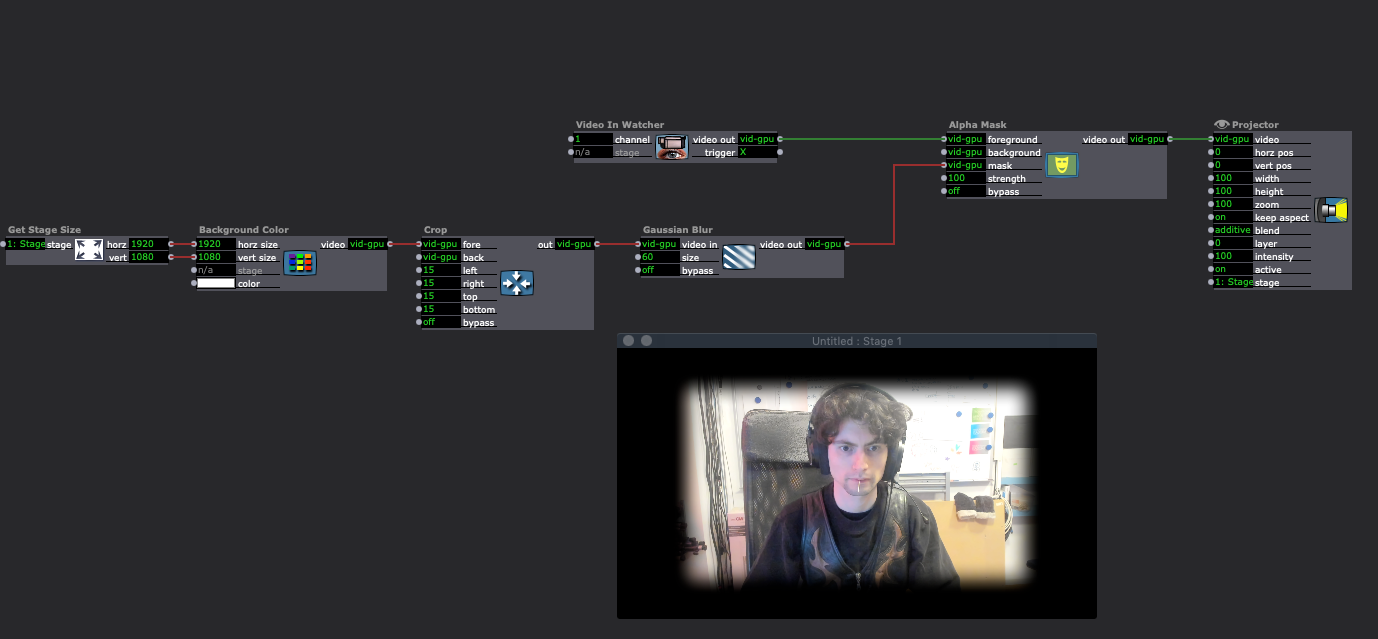
Also, for rounded soft cropping, you can use a round Shapes actor (set the 'facets' input to '128') instead of Background Color actor with this same setup, or just use the TT Vignette GLSL Shader.