I have a quick questions about system overhead as I embark of a patch that will be replicated many dozens of times. Is the overhead of using Javascript greater for doing nestled math calculations vs stringing calculators together in a user actor to do the same calculation?
A couple of examples of a math formula that I am using would be:
B = ((T - 1) * 18) + ((P - 2) * 2) + 1
L=((P−2)mod3)×32+1
It much easier to put these together in Javascript, but I can do them with calculators if its quicker.
Thanks, J
@jtsteph said:
I wondered if they did this all in isadora or touch designer or....
You could contact them and ask. They might tell you.
@jtsteph said:
@ril We just saw a pretty big show in Montreal. It was a destination for our visit last weekend. There were three galleries, one huge and two smaller. All of them used all four walls and the floor. One of them had motion tracking on the floor and the animation responded to the position of gallery participants. The visual and projection design was gorgeous as was the sound. The animation was a bit rudimentary, but the overall experience was really spectacular. https://oasis.im/en/dreaming-a...
Looking at that the first thing I think of is how weird the content must look as a video or picture file on a computer. It'd be such a strange resolution and shape. Very cool though!
@jtsteph thans for shearing!
Amazing this inmersive instalation...It would be great to know and learn more about this proceudure (motion tracking on the floor) also about hardware.
It is evident that this is cuting edge and Isadora should be part of this in some how....also with reactiv visuals
What do you think?
Best,
Maxi RIL
@ril We just saw a pretty big show in Montreal. It was a destination for our visit last weekend. There were three galleries, one huge and two smaller. All of them used all four walls and the floor. One of them had motion tracking on the floor and the animation responded to the position of gallery participants. The visual and projection design was gorgeous as was the sound. The animation was a bit rudimentary, but the overall experience was really spectacular. https://oasis.im/en/dreaming-a...
I wondered if they did this all in isadora or touch designer or....
You may find the video scenes in this file of mine helpful in terms of learning how to build crossfades for videos with both video and audio: https://troikatronix.com/add-ons/random-media-random-duration/
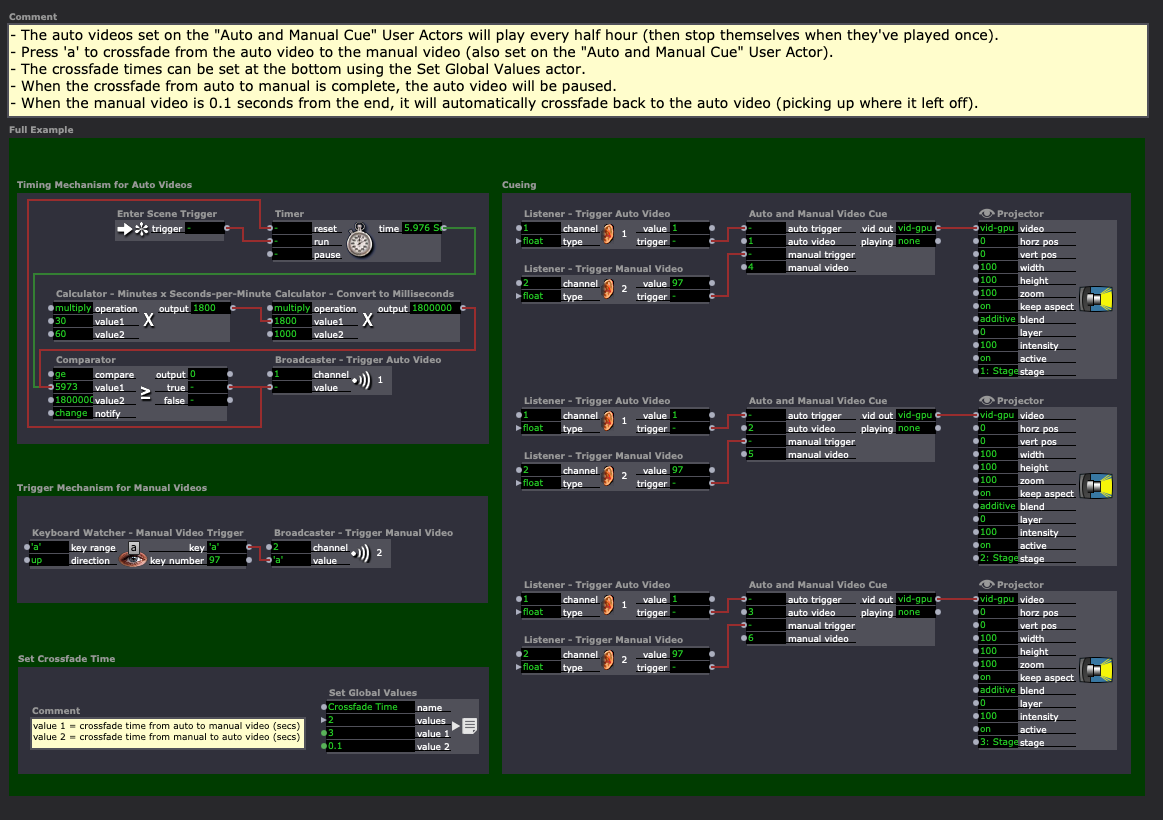
Also I made a little example file that takes a stab at your use-case. Hopefully you can modify it in such a way that it's useful to you, or dissect it and extract the ideas. If you describe the behavior you need in more detail, I can modify the file for you to make it do what you need: manual-override-for-automatic-cues-2024-02-06-3.2.6.izz
Here's the first Scene at the beginning that has the example I built for you:
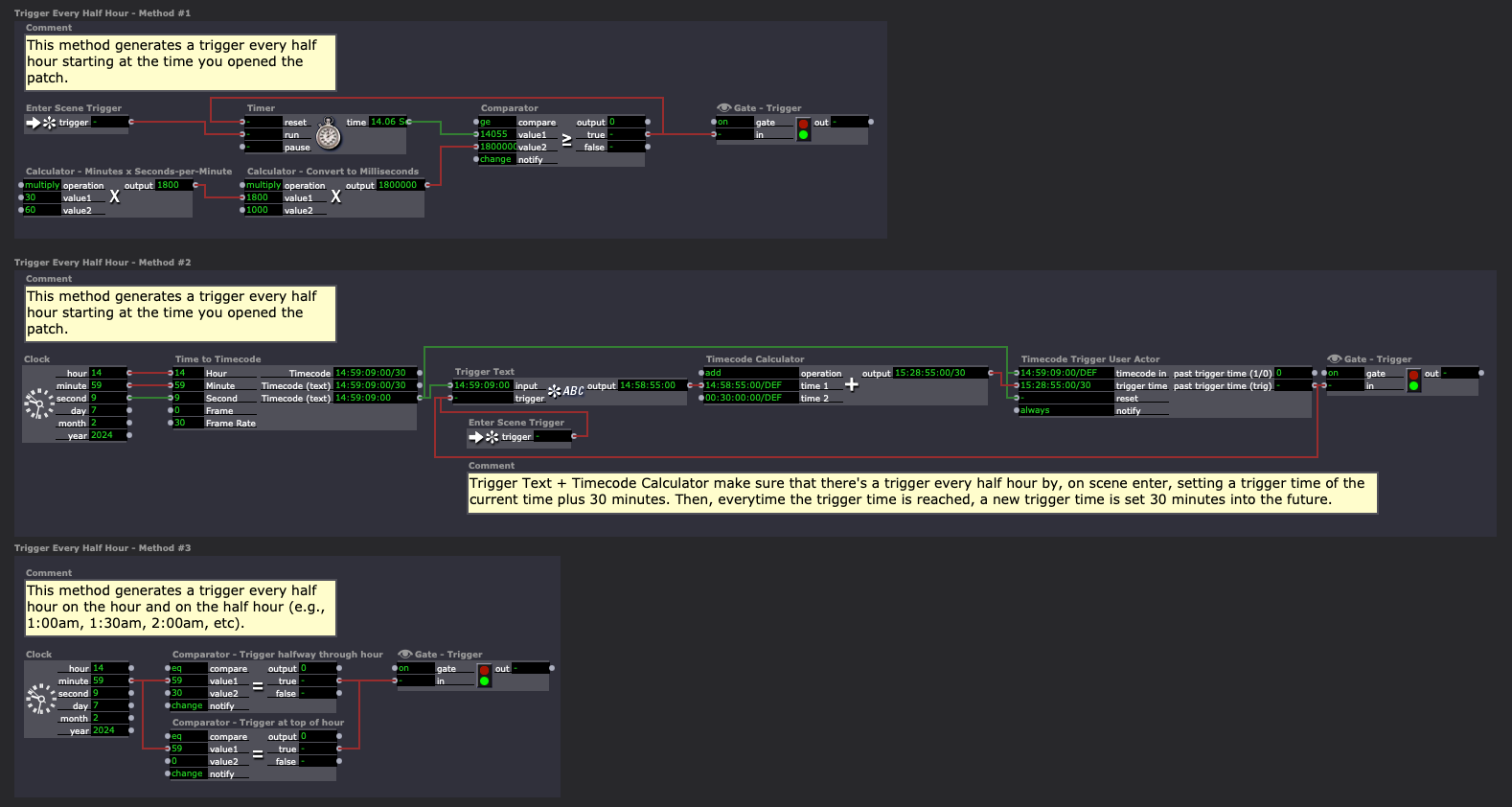
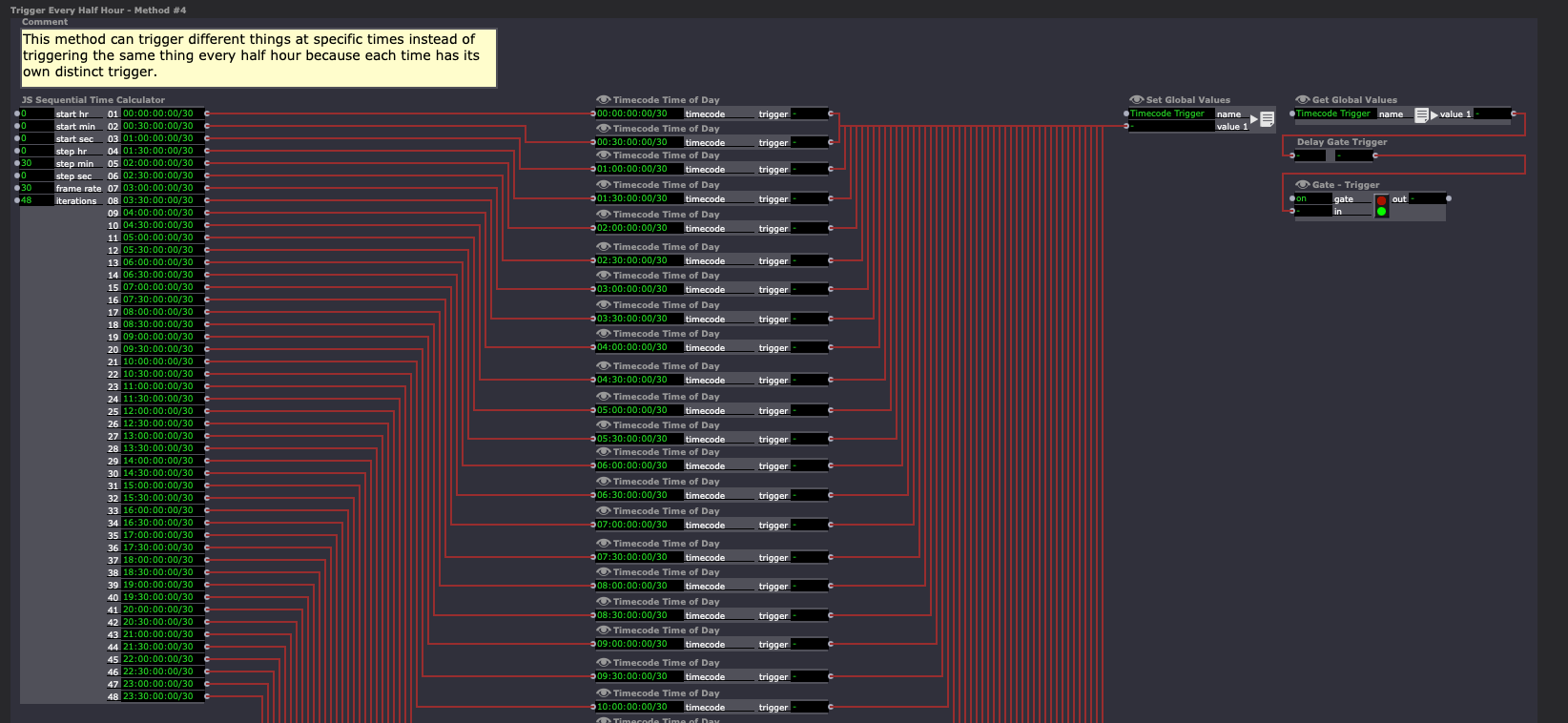
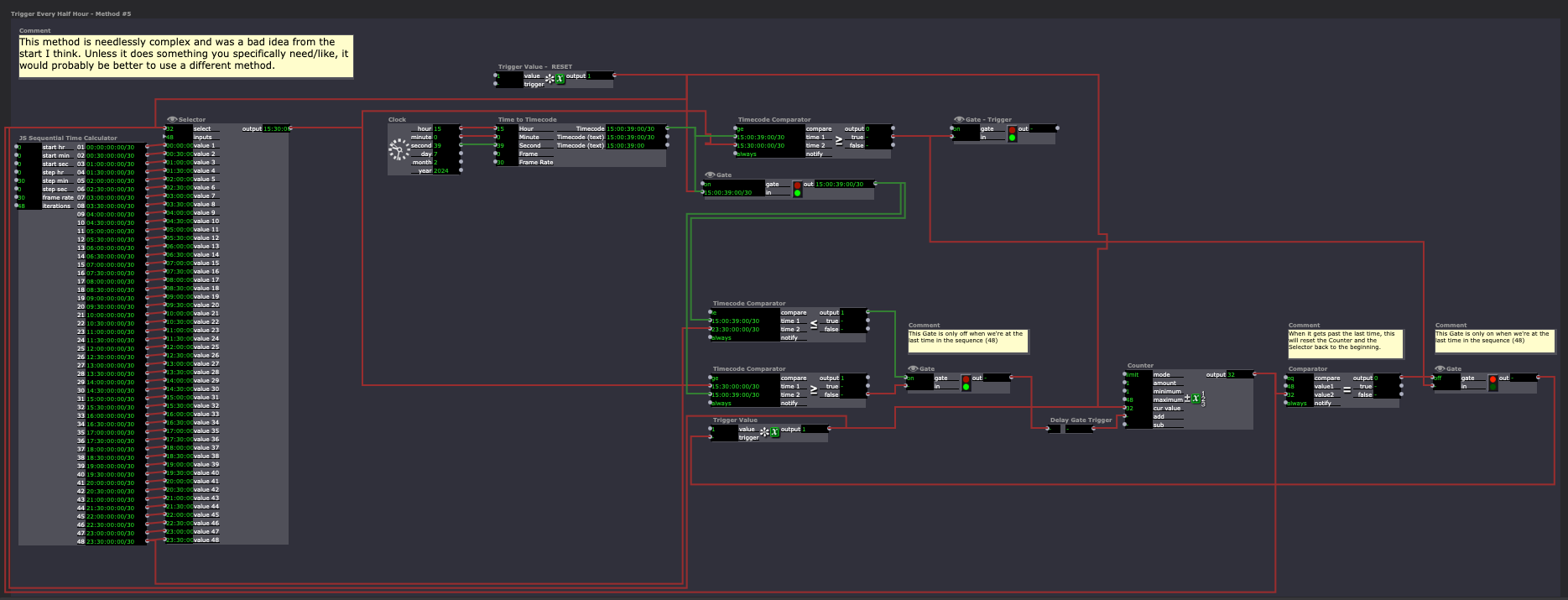
The second Scene has five methods for automatic time triggers:
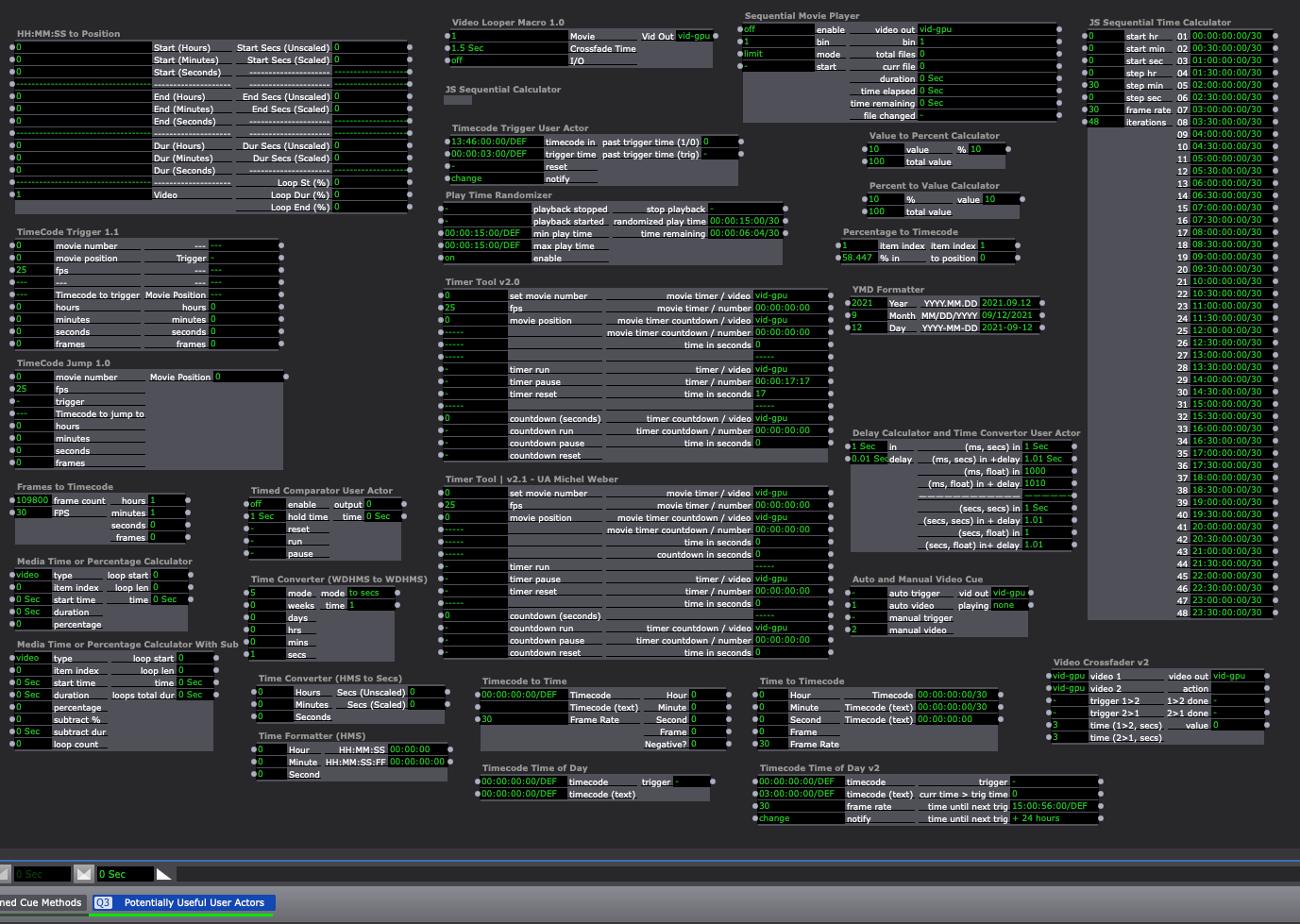
The third Scene has a bunch of my time/time-based User Actors and ones that I've collected from others that might be helpful:
Best wishes,
Woland
@woland Amazing resource! Thanks SO much... - John
Thank you @Woland for your detailed response !!...and the suggestions to start with something smaller.
big hug,
Maxi RIL
ps I will surely come back with more questions haha
there are many ways to do this by combining actors. you can stop a mov from playing by triggering a value of 0 to its Speed input.
the Selector actor might be useful. or a system of Video Mixers. or some Gates. Or multiple Projectors that get switched on and off when needed. Trigger Value will be your friend for most of these methods.
For the augmented reality (AR) stuff I saw on their website, you need to be able to write applications for a smartphone/tablet I believe, and it looks like they either bought or rented a ton of tablets (which can get expensive quickly).
Other observations:
- Infrared tracking (such as using the prop vacuum to affect a particle system projected from above) was heavily used in the works shown on both websites. It's one of the only ways to track multiple bodies in space regardless of what you're projecting onto and around those bodies and, importantly, also being unaffected by both bright and low-light conditions
- Edge-blending of multiple projectors and projection mapping (projecting on the cube, onto the floor and up the walls, and covering large areas)
- Projectors higher than commercial-grade that are capable of top-down projection (projecting straight onto the floor is something that some commercial-grade projectors aren't designed to do, so they can overheat and you might end up with several different problems)
Sadly the most important components for large-scale, interactive installations like this are money (for equipment, technicians, space rental, etc) and time (which is also basically money, as in the several months it takes to make such large-scale installation work, you still need to pay bills, rent, buy groceries so you can eat, etc.)
This may not be applicable in your case, but for anyone else reading this who might find this advice helpful: You can make some neat interactive installations, or test out the basic concepts for larger installations, with one or two smaller projectors, a laptop (which has an RGB camera, a built-in display, speakers, and a microphone), and (optionally) a depth camera like a Kinect. Learn how to do body-tracking with IR, create interactive content, perform edge-blending & projection mapping on weird surfaces, and refine your ideas/experiment with techniques on a small scale before trying to go huge.